
Why Is My Xbox So Loud? What Each Noise Means
A loud Xbox is usually one of three things. A fan spinning flat out because the console is running hot, something touching or wearing out the fan, or the disc drive. The sound tells you which one. A whoosh that builds during games is heat. A rattle or click is the fan. Grinding with a disc in is the drive.
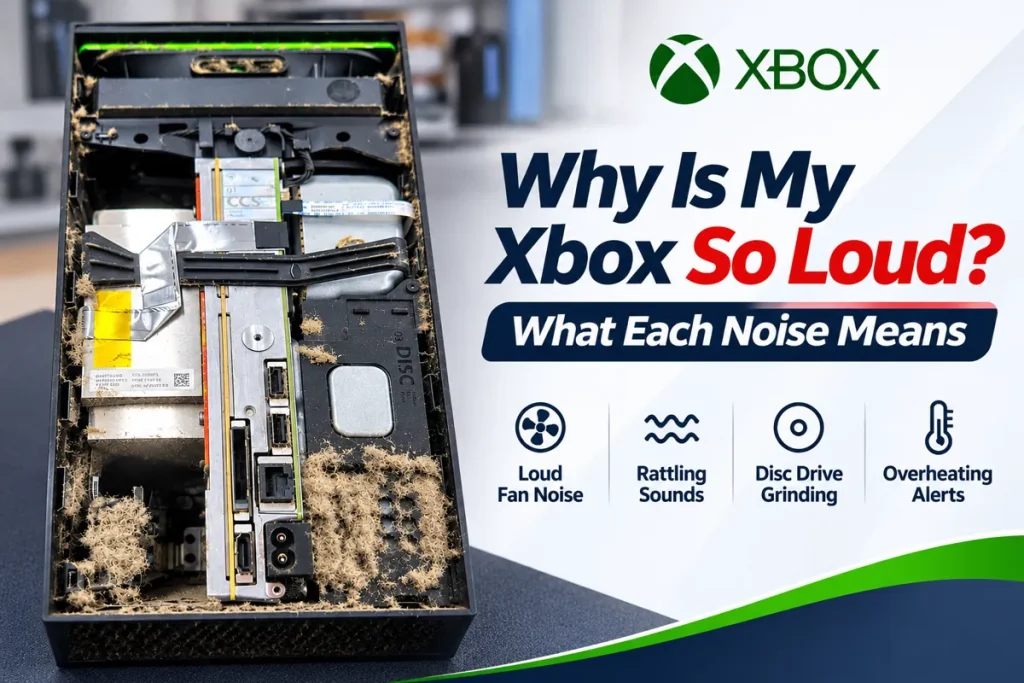
Match the sound to the cause
Listen for when it happens and what it sounds like. Then find the row.
| What you hear | Likely cause | Fix it yourself? |
|---|---|---|
| Whoosh that gets louder the longer you play, like a jet engine | Fan at full speed because the console is hot: dust, blocked vents or dried thermal paste | Clear the vents first. If it stays loud, it needs a cleaning inside. |
| Loud only in one or two big games | Normal heavy load, made worse by dust | Check vents and placement. A clean console handles it quieter. |
| Loud fan right from startup, even on the home screen | Overheating, a fan or sensor problem, or a software glitch | Try a full power cycle. If it's still loud, get a diagnostic. |
| Rattling, ticking or clicking that follows the fan | Something touching the fan blade, or a worn fan bearing | No. Don't open it while it's under warranty. Bring it in. |
| Grinding, whirring or buzzing only with a disc in | Disc drive, or a warped or off-balance disc | Eject the disc and try another one. If the noise stays, it's the drive. |
| Clicking with no disc, plus discs not reading | Disc drive mechanism | No. The drive needs replacing. |
| Loud, then it shuts off by itself mid-game | Overheating protection | Stop using it until it's cleaned. Heat damages the board over time. |
5 checks to try before you pay for anything
None of these need tools or opening the console. Go in order.
- Give it room to breathe. Take the Xbox out of any closed cabinet and keep it away from the TV, a cable box or a wall. The Series X blows hot air out of the top, so nothing should sit on it. The Series S and Xbox One vent out the back and sides.
- Clear the vents from the outside. With the console off and unplugged, wipe the vents and use short bursts of compressed air from a distance. Don't push air straight into the fan; spinning it hard can damage the bearing.
- Eject the disc. If the noise stops with the drive empty, try a different disc. A scratched or warped disc can make any drive loud.
- Try it standing and lying flat. Both positions are supported. If the rattle changes or goes away, something loose inside is moving, which is a sign to bring it in.
- Do a full power cycle. Hold the power button on the front for about 10 seconds until it shuts off, unplug it for a minute, then turn it back on. This clears a fan that's stuck at high speed after a software glitch.
If it's still loud after all five, the problem is inside the console: dust packed into the heatsink, old thermal paste, the fan, or the drive.
Is your Xbox overheating?
A loud fan is the console trying to cool itself. These signs mean it's losing that fight.
Normal fan noise
- Gets louder in demanding games, quiet on menus
- Goes back to normal a few minutes after you stop playing
- Steady whoosh, no ticking or rattling
- Air from the vents is warm, not hot to the touch
Signs it's overheating
- An overheating warning on screen
- It shuts off by itself during games
- Loud even on the home screen
- Games stutter or lag more than they used to
- Louder every month, even with clear vents
Dust builds up inside the heatsink fins, where you can't reach it from the vents. The thermal paste between the chip and the heatsink also dries out. Both make the chip run hotter, so the fan spins faster to keep up. A cleaning with new thermal paste fixes both.
What we find when we open them
When a loud Xbox comes to one of our shops, it's almost always one of these.
Dust packed into the heatsink
The most common cause. The fan pulls air through the console for years, and dust collects in the heatsink fins behind it. From the outside the vents can look clean. The fix is opening the console, cleaning the fan and heatsink, and replacing the thermal paste.
Dried-out thermal paste
The paste that carries heat from the main chip to the heatsink dries and cracks with age. The chip runs hotter, the fan runs faster. You can't see this without opening the console, which is why we replace the paste every time we clean one.
A fan that's failing or being hit
A rattle, tick or click that changes with fan speed usually means something is touching the blades, or the fan's bearing is wearing out. A worn bearing gets louder over time and the fan can eventually stop, which leads to overheating. We replace the fan when that's the cause, for $129 to $149 depending on the model.
The disc drive
Grinding, buzzing or loud whirring that only happens with a disc in comes from the drive. Some spinning noise while a game installs from disc is normal. Grinding, repeated clicking or discs that won't read or eject are not. When the drive is the problem, we replace it.
Loud and no picture? It may be the HDMI, not the fan
Some consoles come in for noise and turn out to have a second problem: no picture on the TV. An HDMI port can look perfectly fine from the outside and still be the fault. Two recent ones from our bench:
No picture at all, even when we wiggled the cable, with a clean-looking port. The fault was the HDMI chip on the board behind the port, not the port itself.
Picture only when the cable was held at an angle, again with a port that looked fine. The port's solder legs had separated from the board.
Both are board-level fixes we do in-house. Re-soldering or replacing the port is $149 on Series X, Series S, One S and One X; a chip fault is quoted after the free diagnostic. See our Xbox HDMI repair page.
Heat damage on the board
An Xbox that's run hot for a long time can develop board faults: shutting off, no picture, or not turning on. That's board-level work, and we do it in-house. See our board-level repair page. Cleaning a loud console early is much cheaper than that.
What it costs to quiet a loud Xbox
Prices are before Massachusetts sales tax. You approve the price before we start.
| Repair | Price | Turnaround |
|---|---|---|
| Internal cleaning + new thermal paste | $120 | 3–5 hours; 1–2 days when we're busy |
| Fan replacement | $129–$149, depending on model | Given with the quote, depends on parts |
| Disc drive replacement | Quoted after free diagnostic | Depends on parts |
| Board repair (heat damage) | Quoted after free diagnostic | Depends on the fault |
The diagnostic is free in store at all four shops. If the picture is also cutting out, it may be the HDMI port, which we fix for $149 on Series X, Series S, One S and One X. Details are on our Xbox repair page.
Warranty: console repairs carry a 90-day warranty. Keep your receipt; a text or email copy works for claims.
If your Xbox is new enough to still be covered, check with Microsoft first. Opening the console yourself can affect that coverage. We'd rather send you there than charge you for something already covered.
Bring it to Watertown, Newton, Burlington or Wakefield
All four Massachusetts shops are open 7 days a week, 10AM to 8PM, and you can walk in without an appointment. Bring the console and its power cable; you don't need the controller. Call (857) 302-2655 if you're not sure which shop is closest. Have a PlayStation running hot too? Read why a PS5 overheats, or see all our game console repairs.
Frequently asked questions
Why does my Xbox sound like a jet engine?
Why is my Xbox making a rattling noise?
Why did my Xbox fan get so loud all of a sudden?
How do I know if my Xbox is overheating?
Can I clean the inside of my Xbox myself?
Is it normal for the Xbox disc drive to be loud?
How much does it cost to fix a loud Xbox?
Still loud? Let us open it up.
Free in-store diagnostic at all four shops. Cleaning with new thermal paste is $120, a new fan is $129–$149, and every console repair carries a 90-day warranty.
Or call directly: (857) 302-2655